Q10 Word Processor (Unofficial Site)
What is Q10?
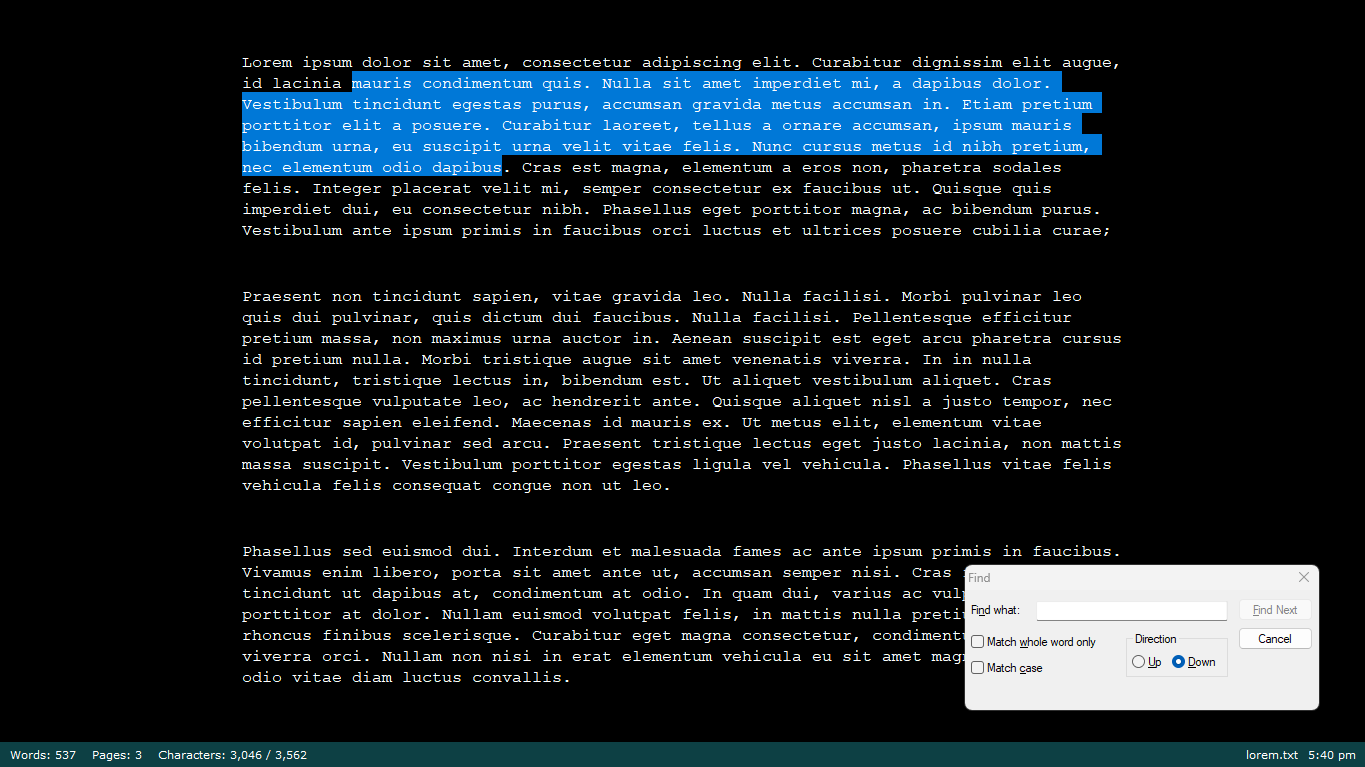
Q10 is an abandonware full-screen distraction free text editor for Microsoft Windows. It natively works in the .TXT format and includes features such as spell checking, notes, target writing counts, and more.
Features
Q10 boasts the following features:
- Full-screen only design with colors that can be easily customized.
- Live text statistics at the bottom of the screen with a customizable formula for page count and word count.

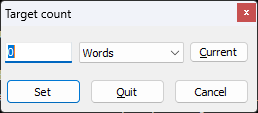
- Set a target word count to to keep you accountable.
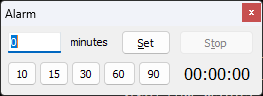
- Set an alarm to make sure you take the time to work on your writing.
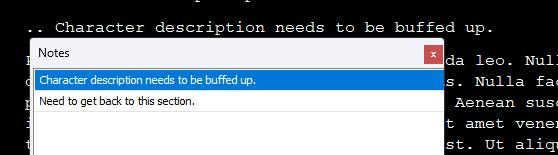
- Seamless notes feature where you can write text starting with a ".." and it will show up in a specialized Notes Menu.
- Ability to request that Q10 save your work after a certain time period or number of paragraphs.

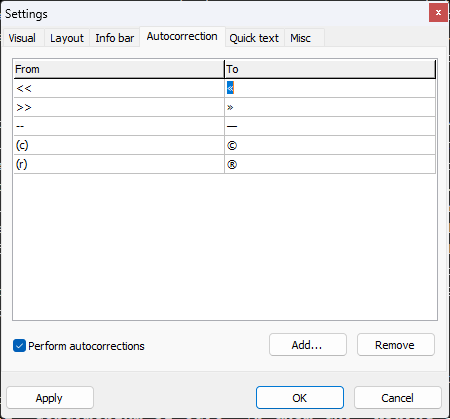
- Autocorrection feature to easily put in special characters without leaving your writing.
- Optional spell check feature.
- Optional sound effects for typing.
- Small size of less than one megabyte.
What You Should Know Before Downloading
Who created this software?
This software was written by Joaquin Bernal, a Spanish programmer, designer, and fiction writer. The first recorded version was released on March 1, 2007 (1.2.0), with a final release on June 16, 2011 (1.2.21). The software was hosted on baara.com/q10, which went down sometime in late 2024.
His listed email is q10@baara.com, but he hasn't been heard from in years. He also created a Google Support Group, which also doesn't seem to have been maintained in years. You can view the original site for Q10 via the Internet Archive.
Is this software being updated? What is abandonware?
No, this software is not being updated, thus it is abandonware and is at your own risk. The software was last updated on June 16, 2011 and the application author has since vanished. This site is being hosted by a fan who loves the software and wants to be able to provide others a safe place to download it and continue to use it, should they choose to.
What systems can run Q10?
Q10 is tested to be compatible with Microsoft Windows 2000 and higher. It is a 32-bit program.
It has been tested to work on Windows 11.
Frequently Asked Questions
How do I close the program?
You can close the program by clicking CTRL + Q.
How do I modify settings for the program?
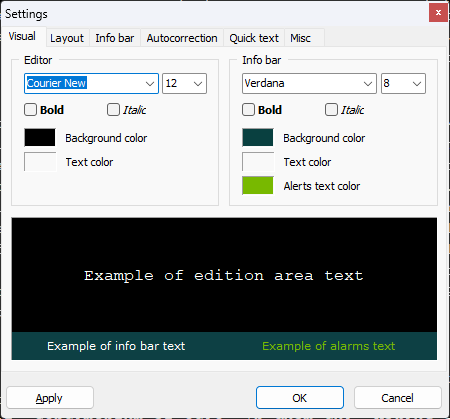
Press CTRL + P to open the Settings Menu.
How can I run this program on a high DPI display?
Q10 is known to not work well on high DPI displays. To fix the rendering issues on a high DPI display, right click on "Properties", turn on "Override high DPI scaling behavior" and select "Application" from the dropdown menu. (See Joel P's Instructions)
I ran into a bug, how can this be fixed?
Unfortunately, there is no support or updates for this program, so bugs will remain as they were upon the last release. Try searching through the Google Support Group to see if someone experienced that bug before and if a workaround was found.
What are the keyboard commands to operate Q10?
| Keystroke | Command |
|---|---|
| CTRL + N | New file |
| CTRL + O | Open file |
| CTRL + S | Save file |
| CTRL + D | Save file with new name |
| CTRL + E | Change current file encoding and format |
| CTRL + F | Find |
| CTRL + G | Find next |
| CTRL + R | Replace |
| CTRL + J | Expand quick text |
| CTRL + T | Set alarm |
| CTRL + U | Set global target |
| CTRL + K | Show statistics |
| CTRL + 1 | Change base count 1 |
| CTRL + 2 | Change base count 2 |
| CTRL + 3 | Change base count 3 |
| CTRL + 4 | Change base count 4 |
| CTRL + P | Change Settings |
| CTRL + H | Notes List |
| CTRL + Z | Undo |
| CTRL + Y | Redo |
| CTRL + A | Select All |
| CTRL + C | Copy |
| CTRL + X | Cut |
| CTRL + V | Paste |
| CTRL + L | Select Language |
| CTRL + B | Toggle info bar |
| F1 | Help Card |
| F2 | Expand quick text |
| F3 | Find next |
| F5 | Insert timestamp |
| F6 | Show recent files list |
| CTRL + Q | Exit Q10 and return to desktop |
Download Q10
License
Software License | Baara License
Except where otherwise noted, all of the documentation and software included in the Q10 package is copyrighted by Baara Estudio.
Copyright (C) 2007 Baara Estudio. All rights reserved.
This software is provided "as-is," without any express or implied warranty. In no event shall the author be held liable for any damages arising from the use of this software.
You may
-
install and use Q10;
-
copy Q10, provided that such copies contain all the original contents and proprietary notices. You may collect a reimbursement for the costs of producing the copy, but you may not charge a licensing fee for Q10;
-
permit other individuals to use Q10 under this same terms.
You may not
-
modify or reverse engineering Q10 in any way;
-
extract portions of Q10;
-
sell licenses for Q10;
-
remove any proprietary notices on Q10.
Permission is granted to anyone to use this software for any purpose, including commercial applications, and redistribute it, provided that the following conditions are met:
All redistributions must retain all occurrences of the above copyright notice and web site addresses that are currently in place (for example, in the About boxes).
The origin of this software must not be misrepresented; you must not claim that you wrote the original software.
-- Baara Estudio - q10@baara.com http://www.baara.com/q10
Download Links
Run this software at your own risk
By proceeding with downloading Q10, you understand that this is extremely outdated software that not been updated since 2011, thus running it is at your own risk. There is no support for this program. The operator of this website is not responsible for any damage that may be caused by unforeseen operation of the program on your computer.
Run As Administrator Required
If you wish to install the program, you will need to run the installer as administrator for it to run correctly. If you still encounter problems, try setting the installer to also run in Compatibility Mode with Windows 7 with Service Pack 1.
Instability for Spell Check
Q10 with spell check is known to have issues that may result in the program crashing. As such, it is recommended to run the version without spell check.
Version 1.2.21, released June 16, 2011
Main links are direct links to the Internet Archive.
| Type | Without Spell Check (More Stable) | With Spell Check (Less Stable) |
|---|---|---|
| Installable .EXE | Recommended Download (Mirror) |
Download |
| Compressed .ZIP | Download | Download |
| PortableApps .EXE | Download | Download |
Checksums (SHA-256)
| Type | Without Spell Check | With Spell Check |
|---|---|---|
| Installable .EXE | AE96205BB838D706C377C1575BA595BBAFCE9F7A27771AFCA15F0853998241E5 | 14089374A05B49A99B85A0766902150FA1DF2751A85EE5C95E9EF83D1730C7CC |
| Compressed .ZIP | 8C91260B05E850C485509B18D04129D3849198D82719ECAF9CCF52C33449C5A7 | 43DF38593629DDDB586642988A835068274534C6F5F5C9DAE04A0C52991EC715 |
| PortableApps .EXE | 6A8688A69A5299DDB09DD7DBB53C432226BFA93281AA0CC4995F9A17FCB23532 | BAFE8F907B1BD3A4D84754FE9B1E6A04AE190C04FE8A5687F7B83DB4814CF929 |